You can Download your Backup to your Harddrive or on a Remote FTP Server
Tip : It is not a good idea to backup on Server itself since unknown situation like a HDD crash can destroy your Data along with Backup on the same server
Steps to take Backup
1. Signup for a FREE 1 GB FTP account at DriveHQ.com
2. Fill the Sign up form and activate your account with confirm email on your account.
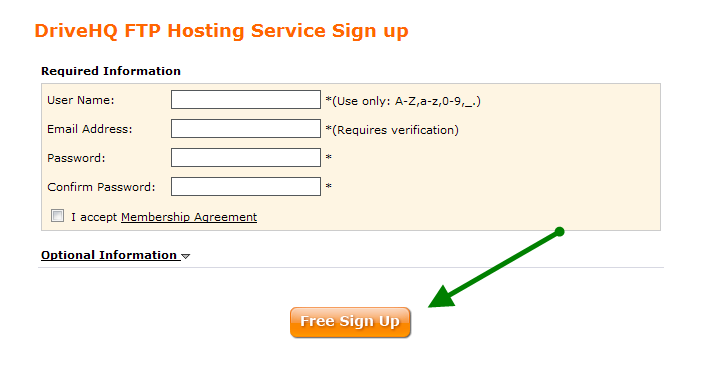
3. Once your account has been activated, try logging in testing using a FTP Client like FileZilla or WinSCP.
- FTP Details
- Username : drivehq-username
- Password : drivehd-password
- Host - ftp.drivehq.com
- Port - 21
4. Once the Account is working, Login to cPanel at www.yourwebsite.com/cpanel to initiate a backup.
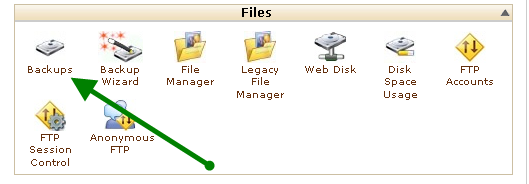
5. Click Backup Icon
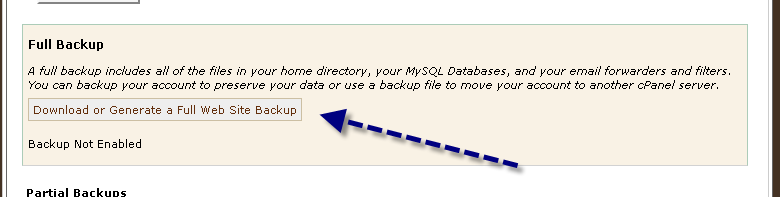
6. Click Download and Generate FULL Backup
7. Fill in the Fields. Example below. IMPORANT : Choose REMOTE FTP Server (Passive mode Transfer)
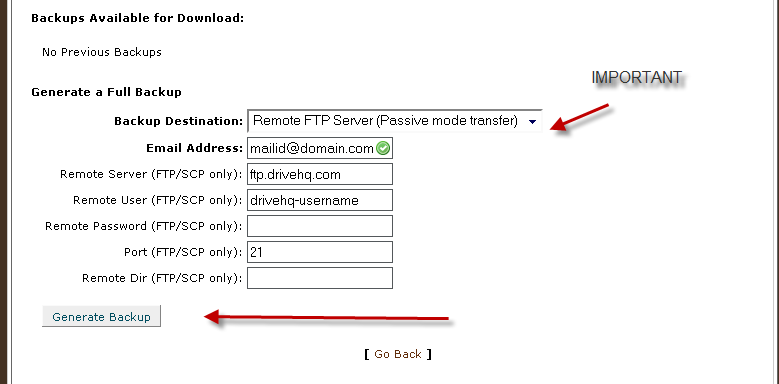
8. Generate backup
9. You can now leave the page as it can take few minutes to hours to backup the data depending upon the size.
10. You will be notified once the backup completes successfully
Using ADrive for Offsite Remote Backups
Disclaimer: Always have personal backups as Host4Cheap.org won't be liable for any loss of data or any losses directly or indirectly arising out of such data losses.